


Novelsago
4.5148.00 Reviews
App Specs
- Version
- 2.1.0
- Updated On
- License
- Free
- Downloads
- 100,000+
- Developer
- CHENZHOU QIRE INFORMATION TECHNOLOGY CO LTD
- Categories
- Books & Reference
- Platform
- Android
Screenshots
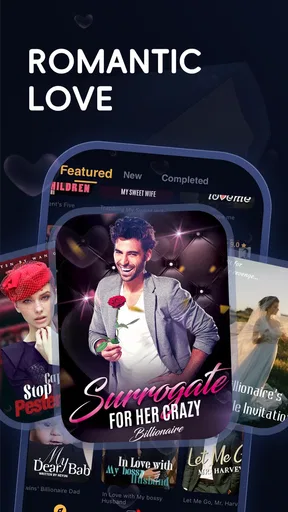
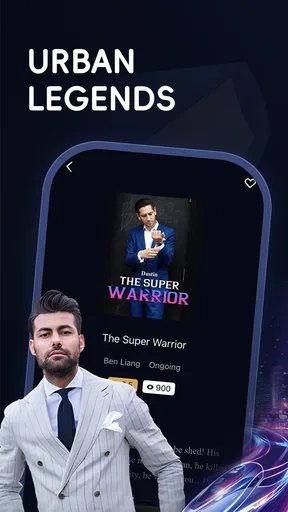
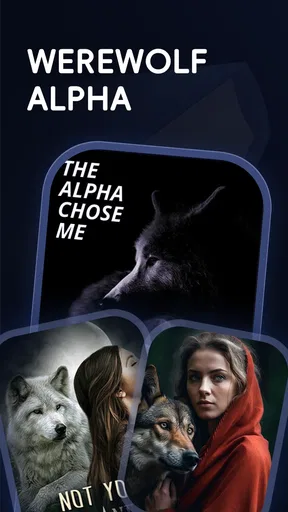
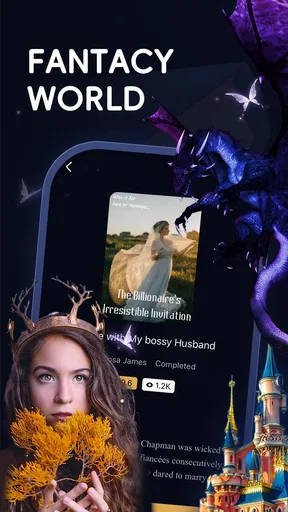
 Analysis by AppCompare
I tend to judge a reading app by a practical question: does it make it easy to settle into the kinds of stories I actually want to read, without making the cost hard to understand? Novelsago is a free Books & Reference app from CHENZHOU QIRE INFORMATION TECHNOLOGY CO LTD, centered on romance, werewolf, and urban fiction. That focus gives it a clearer identity than a general-purpose ebook shelf, though it also means it will suit some reading moods much better than others.
What “free” means for a reader
You can install and begin using Novelsago without paying an upfront price. That is useful if you want to browse its style of fiction before deciding whether it belongs in your routine. The important distinction is that free access does not mean every possible reading choice is necessarily free: the app includes in-app purchases, with listed item prices ranging from $0.99 to $199.99. I would treat those purchases as optional spending to consider carefully, not as a reason to assume you need to pay to try the app.
Before buying anything, I’d check what a particular purchase unlocks and whether it fits the way I read. A reader who samples stories occasionally may get enough from free access, while someone who reads frequently may be more tempted by paid options. The broad price range makes it especially sensible to review each item rather than tapping through on impulse. If you prefer a reading service with a simple, predictable subscription or a one-time ebook price, compare those costs with the specific choices Novelsago presents in the app before committing.
A focused fiction shelf, not a universal bookstore
The app’s strongest appeal is its emphasis on serial-friendly popular fiction, particularly romance, werewolf stories, and urban novels. If those are the genres you reach for when you want an absorbing break, a dedicated catalog can feel more useful than searching a broad ebook store where your preferred niche is only one small part of a much larger collection. The trade-off is straightforward: readers looking for literary classics, practical nonfiction, reference manuals, or a wide mix of genres may find a general ebook app a better match.
That focus can help narrow your browsing, but it is still worth judging stories one at a time. A familiar genre label does not guarantee that a book’s tone, pacing, or themes will suit you. I’d use the opening pages or any available previews to check whether the writing feels right before investing time or money. This is particularly helpful if you are switching between genres: a dramatic romance may be ideal for an evening read, while a more grounded urban story might fit a shorter break.
How it fits into an ordinary day
Imagine having ten quiet minutes on a commute or waiting for an appointment. A phone-based fiction app gives you a way to pick up a story without carrying a paperback, and a focused selection makes it easier to look for the kind of plot you already enjoy. Later, you might return to the same story during a longer break. That small, repeatable routine is where an app like this can earn its place: not by replacing every book you own, but by making a particular kind of reading easy to reach.
For a smoother routine, I’d decide in advance whether I’m browsing or continuing a story. Browsing can turn a short break into a long search, while opening with a specific genre or title in mind keeps the session focused. I’d also keep an eye on any purchase prompts when reading late or in a hurry; pausing to check the item and price is a simple way to avoid spending more than intended. Those habits matter more here than chasing a perfect reading setup.
Worth Reading Before You Choose

EA SPORTS FC Mobile 26 Is a Bigger Football Game, but It Takes Time

Flipboard Shows What News Apps Must Do Beyond the Feed

Switching to Android Auto Means Rethinking Your Driving Routine

Google Calendar Makes a Crowded Week Easier to Manage

Ludo King Makes the Most of the Minutes Between Plans

Baby Panda World Brings Quick Play to Modern Phones, but Its Game Library Feels Busy
Who is likely to get the most from it?
Novelsago makes most sense for readers who regularly enjoy romance, werewolf fiction, or urban stories and want those interests close at hand on a phone. It can also suit someone who likes sampling digital fiction in spare moments and is comfortable deciding story by story whether to continue. The app has a 4.5 average from around 4,700 ratings, and more than 100,000 installs; those figures suggest that it has found an audience, but they cannot tell you whether its particular catalog will match your taste.
I would be more cautious if you mainly read nonfiction, need an app for academic research, or want one place for a broad range of established ebook formats. The same applies if you dislike in-app purchases or prefer to know the total cost of a reading service before opening it. Novelsago is worth considering as a genre-focused option, but it is not automatically the best home for a reader whose priorities are broad selection, a clearly fixed budget, or study tools.
Getting Started with Novelsago
First things first, downloading Novelsago is a breeze. You can find it on both the Android and iOS app stores, so no matter what device you’re using, you’re covered. Once you've got it installed, you're greeted with a sleek and intuitive interface that even a tech newbie could navigate without breaking a sweat.
Creating an account is simple, and trust me, you’ll want to do this to unlock all the goodies the app has to offer. You can sign up with your email or through your social media accounts, which is a nice touch if you’re like me and hate having to remember yet another password.
Exploring the Library
Once you’re in, the world is your oyster—or should I say, your library. The selection of books is vast, covering everything from heart-pounding thrillers to swoon-worthy romances. The app offers personalized recommendations based on your reading habits, which is a feature I found particularly useful. It’s like having a personal librarian who knows exactly what you’re in the mood for.
One of my favorite features is the ability to customize your reading experience. You can adjust the font size, change the background color, and even switch to a night mode for those late-night reading sessions. It’s all about making the experience as comfortable as possible, which I really appreciate.
Features That Stand Out
If you’re a fan of audiobooks, you’re in luck. Novelsago isn’t just about reading; it’s also about listening. The app offers a plethora of audiobooks, and the transition between reading and listening is seamless. You can start a book in text format and switch to audio when you’re on the move—perfect for those long commutes or while you’re doing chores.
Bookmarking and note-taking are also incredibly easy. I love being able to highlight passages and jot down thoughts without having to fumble around with a separate app or a physical notebook. These features make studying and analyzing texts a breeze, especially if you’re a student or someone who just loves to delve deeper into what you’re reading.
Community and Connectivity
Now, if you’re someone who enjoys discussing books with others, the app's community feature will be right up your alley. You can join book clubs, participate in discussions, and even connect with authors. It’s like having a book club in your pocket, and it’s a feature that adds a social dimension to the reading experience.
Sharing your favorite reads has never been easier. The app allows you to share books and recommendations directly with friends, and the integration with social media platforms means you can brag about your latest read with just a few taps.
Choosing a reading app that fits
Compared with a general ebook storefront, Novelsago is more appealing when you already know you want contemporary romance, werewolf fiction, or urban novels. A broad bookstore is usually the more flexible choice if you want to move between fiction, nonfiction, reference works, and books from many publishers. A library-reading app may be preferable if borrowing is central to how you read. The right comparison is not which app has the most features in the abstract; it is whether you want a specialized stream of fiction or a wider shelf you curate yourself.
There is also a useful distinction between an app built around browsing stories and a basic ebook reader that mainly opens files you already own. If you bring a personal collection and want control over formats and organization, a reader designed for local files may be a better fit. If you want to discover fiction within a genre-focused service, Novelsago is the more natural place to start. I would not choose it as a substitute for a reference library or a tool for managing a large personal ebook archive.
Practical ways to make the experience work
One small but useful approach is to treat recommendations as a starting point, not a verdict. If a suggested story catches your eye, compare its premise with the mood you want rather than following every recommendation in sequence. This keeps a reading session intentional and helps avoid mistaking a personalized feed for a guarantee that every title will be a match. For a genre with recurring themes, checking a story’s description and sample first is a quick way to decide whether you want that particular version of the trope.
If you use social features, I’d keep sharing separate from choosing what to read. A friend’s recommendation can be a good shortcut, but a discussion or a popular pick may reflect someone else’s taste, not yours. Save the title or note the name and return to it when you have time to assess it calmly. That is especially helpful if a story involves a paid choice: I prefer to know I’m interested in the writing before spending, rather than letting social excitement make the decision for me.
The reading controls mentioned above are worth setting once before a long session. A comfortable font and background can reduce the urge to keep adjusting the screen, while a darker display may be more pleasant in a dim room. These are modest conveniences rather than a replacement for taking breaks or changing lighting when your eyes feel tired. For short commutes, I’d also choose the story before boarding so that limited reading time goes to the book rather than browsing.
Age, version, and what to check first
The app carries a Teen content rating, so I would not treat the label as a promise that every story is suitable for every younger reader. Parents and teens should look at individual story themes and descriptions together, especially when romance or supernatural fiction is involved. If you are selecting books for a younger reader, checking the specific content is more useful than relying on a broad app-level rating alone.
The current version is 2.1.0, and the minimum supported operating system is 7.0. That gives prospective users a quick compatibility check before they install. Novelsago is free to download, but paid in-app items can cost from $0.99 to $199.99 each, so the sensible question is not simply “Is the app free?” but “What am I being asked to pay for, and do I want it?” I would review each purchase screen carefully and avoid assuming that one item unlocks the whole catalog.
Its developer is CHENZHOU QIRE INFORMATION TECHNOLOGY CO LTD. The app has 148 written reviews alongside its broader rating total; I’d read a range of recent user comments for practical clues about current usability, while remembering that other readers’ genre preferences and expectations can differ from mine. A rating can help establish that people are using the app, but a short sample of the catalog is still the best test of whether its fiction suits you.
Final Thoughts
So, is Novelsago worth the download? Absolutely! Whether you’re a casual reader or a bookworm, this app has something for everyone. The combination of a vast library, customizable features, and a vibrant community makes it a must-have for anyone who loves to read.
In a world where everything is moving to digital, having an app like Novelsago means you can carry your entire library in your pocket. It’s convenient, user-friendly, and packed with features that enhance the reading experience. So go ahead, give it a try, and lose yourself in a good book wherever you are.
My buy-or-skip verdict
My recommendation is a conditional yes: try it if romance, werewolf, and urban fiction are already among your regular choices, and approach paid items with a deliberate budget. Free installation lowers the barrier to sampling the app, while the purchase range means I would not call every possible reading path cost-free. If you want a dependable place for broad reference material, a personal ebook collection, or a fixed and transparent overall spend, I’d choose an alternative built around that need instead.
For the right reader, the value is in convenience and a concentrated route into familiar fiction, not in replacing every book service or paper book. Start with a story that genuinely interests you, see whether the reading experience fits your daily routine, and only then decide whether any purchase is worthwhile. That is the fairest way to judge Novelsago: as a free-to-install, genre-led reading option with paid choices to weigh, rather than a universal library that must suit everyone.
Pros
- Intuitive interface enhances user experience.
- Wide selection of genres available.
- Offline mode for reading on the go.
- Frequent updates with new content.
- Customizable reading settings.
Cons
- Limited free content
- subscription needed.
- Occasional ads disrupt reading flow.
- Some novels lack proper translations.
- Requires constant internet for updates.
- Limited social features for reader interaction.
FAQs for Novelsago
What is Novelsago and how does it work?
Novelsago is a digital reading platform that offers a vast collection of novels in various genres. The app allows users to browse, download, and read novels either online or offline. It features personalized recommendations based on reading history and preferences, making it easy to discover new stories and authors.
Is Novelsago available for both Android and iOS devices?
Yes, Novelsago is available for download on both Android and iOS devices. Users can find the app on Google Play Store for Android and the Apple App Store for iOS. The app is designed to provide a seamless reading experience on smartphones and tablets across both platforms.
Does Novelsago require a subscription or is it free to use?
Novelsago offers both free and premium content. While users can access a selection of novels for free, a subscription is required for unlimited access to the entire library, including exclusive and newly released titles. Subscription plans vary, providing flexibility based on user preferences and budget.
Can I read novels offline on Novelsago?
Yes, Novelsago allows users to download novels for offline reading. This feature ensures that users can enjoy their favorite books without needing an internet connection, making it convenient for reading on the go or in areas with limited connectivity.
How does Novelsago handle user privacy and data security?
Novelsago is committed to protecting user privacy and data security. The app uses encryption to safeguard personal information and provides clear privacy policies detailing how data is collected and used. Users can adjust their privacy settings within the app to control data sharing and notifications.


